⚡ UPS Quick Start Guide 5 MIN SETUP
Get your UPS running in just 5 simple steps
2
Install
Extract the zip file and run the installer. Follow the on-screen instructions to complete installation.
3
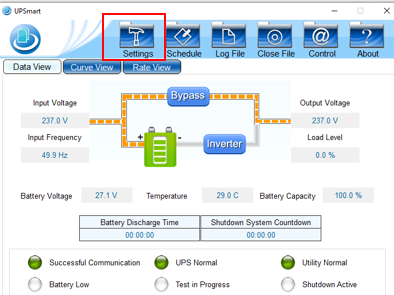
Run and Click Settings
Launch UPSmart and click the Settings button:
4
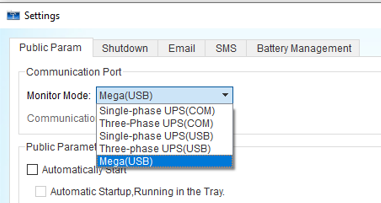
Select Communication Port
Select MEGA(USB) from the available Communication Ports and press OK:
5
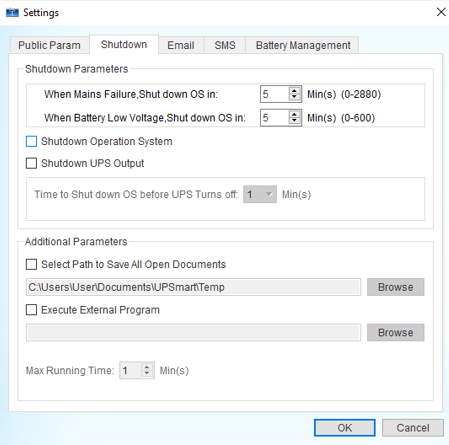
Configure Shutdown
Click the Shutdown tab. Pick a time and tick the box for Shutdown Operation System. Click OK: